5. Dictionary registration
Extracted and edited abbreviations can be registered (saved) to the abbreviation dictionary. This chapter explains how to save to the abbreviation dictionary and how to register, as exclusions, abbreviations you do not want detected.
To include, in output or saving, abbreviations that were not extracted by loading, you can add abbreviations during the selection stage (4.2 Selecting abbreviations to output).
5.1 Saving to the abbreviation dictionary
Selecting the [Save] button saves to the abbreviation dictionary. The save targets are determined according to the save policy tied to the rules in effect.
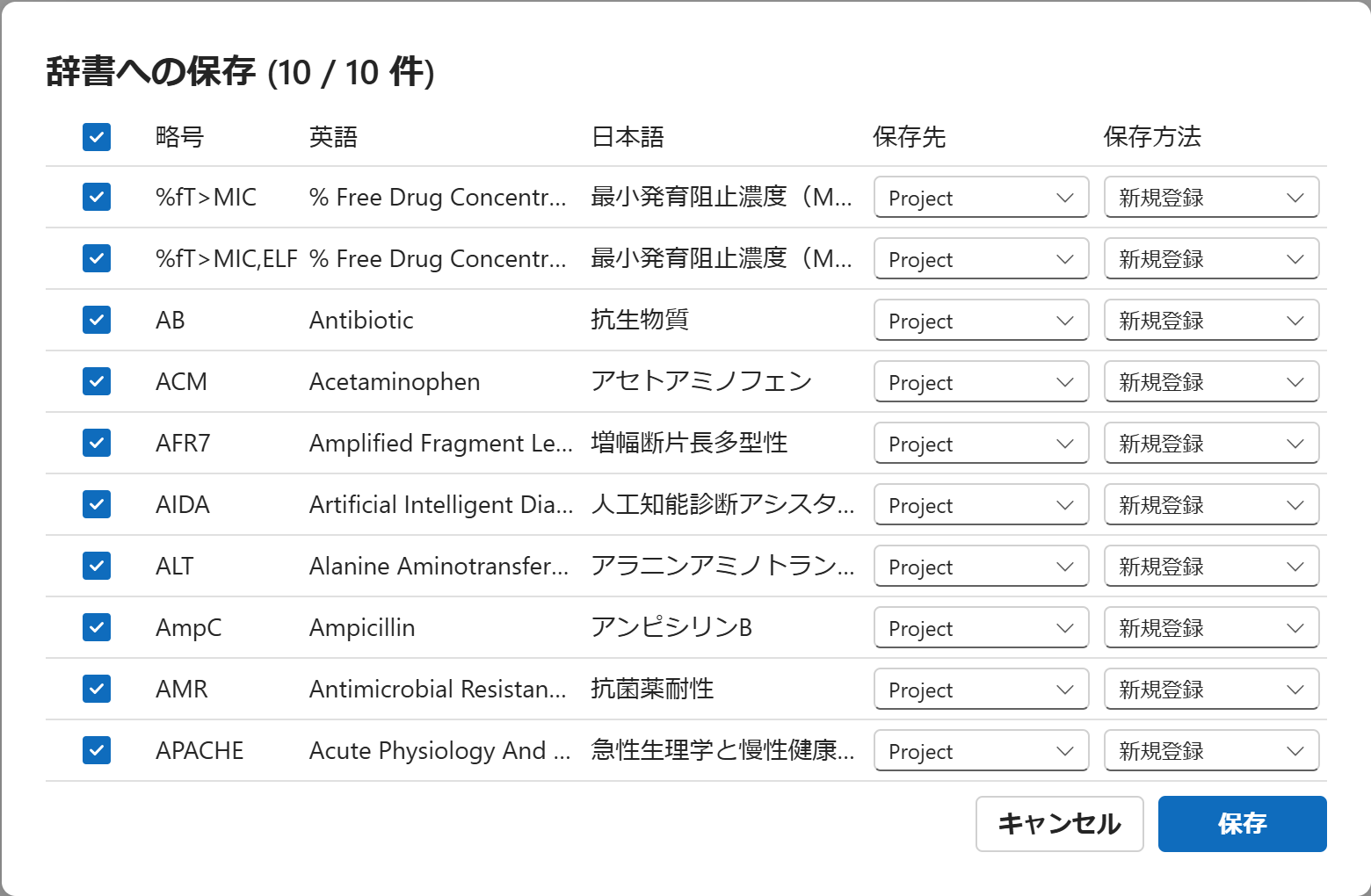
Selecting the destination
In the save dialog, you can select a destination (the Master, Project, or Personal hierarchical-dictionary layer) for each item. The initial destination is determined by the following priority:
- The destination specified last time in that dialog
- The item's source layer (Master / Project / Personal)
- The "Default save destination" setting in the dictionary management dialog
- The first available destination
Default save destination: The "Default save destination" in item 3 above can be specified in the dictionary management dialog (6.1 Dictionary management dialog). For an item with no previous specification and no source layer, this default destination becomes the initial value.
Save method
You can choose "Add new" or "Update" as the save method. However, the following items show a fixed label for the save method and cannot be changed:
- Fixed to "Exclude": Items registered to the not-detected list (the second sheet of the dictionary) as abbreviations you do not want detected (no source + unchecked).
- Fixed to "Add new": Newly added items (no source + checked).
When saving, the updater and the update timestamp are recorded for the items that were updated.
Handling concurrent editing
Saving to the abbreviation dictionary is controlled by detecting concurrent updates by other users. If a conflict is detected, the latest version is re-fetched and the save is retried; if changes by other users were overwritten, the number of times is noted in the save-completion message.
Abbreviations you do not want detected (registering exclusions)
If you save an abbreviation item that you unchecked in the grid, it is registered as "Exclude" to the not-detected list (the second sheet of the dictionary). An abbreviation registered as an exclusion is no longer extracted in subsequent loads and is not shown in the grid.
Permission-based restriction: Saving to the dictionary, including registering exclusions, may be permitted or not depending on the rules in effect and the user's permissions. If you cannot perform the operation, check with your administrator.